
Log Header/Footer Frame Properties
This screen is used to describe and define the properties of a Log Sheet Header Box or Footer box, and contains the following tabs:
-
Use Header to define the information to be displayed within the log header.
-
Use Footer to define the information to be displayed within the log footer.
-
Use Frame Properties to define how the frame of this plot item is displayed. See Log Frame Properties.
-
Use Drawing Order to determine when the current item is drawn on the screen. See Formatting the Drawing Order.
To configure these settings:
-
Select a Row number to activate a particular cell within the plot item. The Cell field works with the Row field, and the cell contents pane at the bottom of the screen updates to show the information currently assigned to that row/cell combination. Use Insert or Delete to add or remove a row.
-
Select a Cell number from the drop-down list. The contents of the row/cell combination are displayed at the bottom of the screen. Use the buttons to the right of the Cell field to insert or delete a cell in the selected row.
-
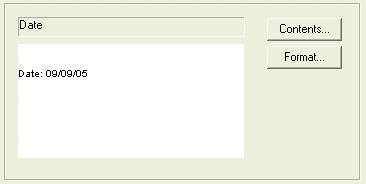
Review the Cell Contents Area to see the contents of the currently selected row/cell. The value associated with the data is shown in the text field at the top, and the actual contents are shown at the bottom, for example:
-
Click Contents to display the Cell Contents screen. You cannot modify the contents area directly; use the Cell Contents screen to select a data type from a selection list or enter custom text.
-
Click Format to display the Cell Format screen and change how the text is displayed.
Related topics and activities:
